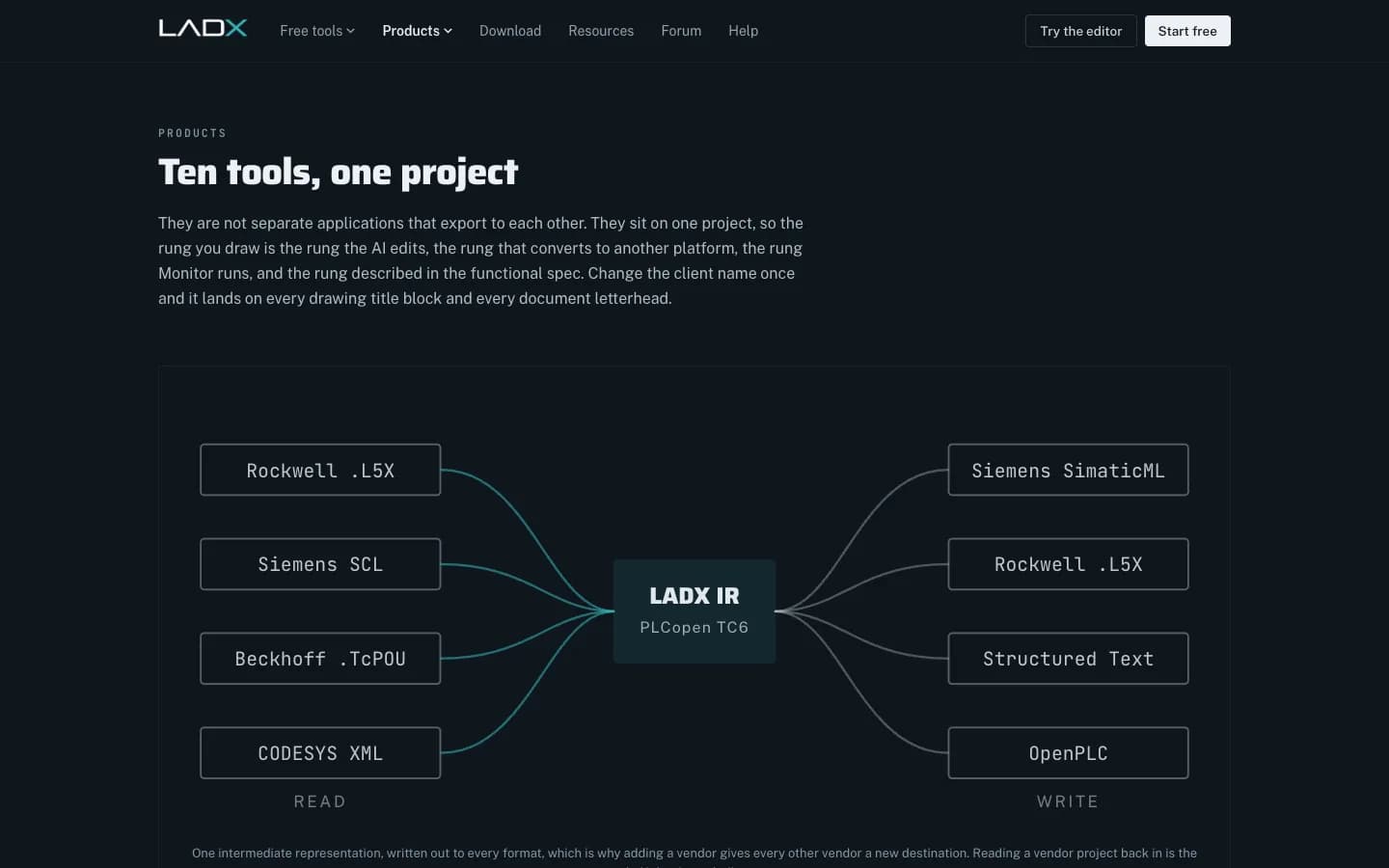
LADX is an AI workbench for automation engineers: a set of ten tools that share one project, so the rung you draw is the same rung the AI edits, converts to another platform, runs in a simulator and describes in the functional specification. It is built by the Wartens group's industrial AI practice and is vendor-neutral by design. Everything the AI generates is checked before it reaches the canvas, and any problems are listed beside the answer. LADX is web only and free.
This brief covers what LADX is, who it is for, how the AI loop works, what each tool does, what it deliberately does not do, and how it fits a real control system project. If you only want to try it, the browser ladder editor needs no account and no installation.
Who an AI workbench for automation engineers is really for
Siemens, Rockwell and Beckhoff each offer an assistant inside their own engineering software. That is sensible for them, and useful if your whole plant runs on one brand. It leaves out the engineer who touches a Siemens line on Monday, a Rockwell cell on Wednesday and a CODESYS skid on Friday. In practice that describes most system integrators, most contract engineers and most maintenance departments in plants that have bought machines over a decade or more.
LADX is written for those people. It does not replace TIA Portal, Studio 5000 or TwinCAT: you still compile and download in the vendor tool. It covers the work around that step, which is where much of a project's time actually goes: drafting logic, checking it, moving it between platforms, building operator screens, drawing the panel and writing the documents. We compare the two approaches in detail in vendor-neutral PLC AI vs vendor copilots.
How the AI works: generate, check, list, repair
A language model can write something that looks like ladder logic. Looking right is not good enough when a wrong rung stops a line or hurts someone, so LADX checks what the model generates and lets it repair its own mistakes:
- Generate. The model drafts the logic from your description, using the tags already in your project.
- Check. Generated ladder goes through the editor's own validator and a seal-in check. Structured Text is compiled as it arrives by the LADV compiler, LADX's own IEC 61131-3 compiler and the one the Wartens LADV virtual PLCs run, alongside a structural check.
- List and repair. Problems are listed beside the answer, not hidden. Auto-fix sends the errors back to the model, up to three times, and shows each attempt.
- Run. Code that passes can be run on a virtual PLC in the browser with one click at ladx.ai/vplc/lab.
The practical effect is that a small, free model becomes useful, because its mistakes are surfaced by tools and each repair attempt is shown to you. We explain the loop and its limits in can AI write PLC code that works?
The ten tools, and what each one is for
| Tool | What it does | Worth knowing |
|---|---|---|
| Ladder | Browser ladder editor with a real scan engine: output image, per-instruction edge memory, timers on elapsed milliseconds | No account or licence; TON and TOF only, no RTO |
| Chat | Describe the machine behaviour and rungs appear on the canvas | Answers are checked and problems are listed beside them |
| Convert | Writes a program as IEC 61131-3 Structured Text, Siemens SCL, Rockwell neutral text or PLCopen XML | Runs in the browser; reading vendor projects back in is not built yet |
| Documents | Seventeen templates from URS and FDS to FAT, SAT, O&M manual and change control | Filled from the project; drafts still need review |
| HMI/SCADA | Screens bound to the ladder program's own tag table, 87 symbols, alarms to ISA-18.2 | The same scan engine drives the screen |
| Knowledge | Ask questions of your manuals and get the document and page | Says 'not in the documents' rather than guessing |
| Monitor | Run any saved program at scan speed, force inputs, record what changed | Never connects to a controller |
| Planner | Gantt chart over every project, seeded from deliverables | No resource levelling or critical path |
| Projects | Design basis, drawings, programs and documents across eight lifecycle phases | Twenty-two design questions answered once |
| CAD | Panel and schematic drafting from eleven working templates, DXF export | 2D only; DWG must be exported to DXF first |
The point is not the number of tools but the shared project underneath them. Change the client name once and it lands on every title block and letterhead. Rename a tag and the HMI cannot silently keep pointing at the old one, because there is no second tag list to drift out of step.
How LADX fits a real project, step by step
Take a typical job: new controls for a palletiser and two conveyors, to be delivered on a mixed site where the end user standardises on one PLC brand and your team usually works in another. A sensible flow looks like this:
- Projects: answer the design basis questions (scope, platform, electrical environment, safety, performance, acceptance) or let the onboarding read them out of the client's URS.
- Ladder and Chat: draft the sequences, permissives and alarms. Ask Chat for a first pass and edit the rungs it places on the canvas.
- Monitor: force the inputs and run the normal sequence, a jam, an e-stop and a restart. Save the run against the project.
- HMI/SCADA: draw the operator screens on the same tags and define alarms with deadband and on-delay.
- CAD: start the I/O and power sheets from the templates rather than a blank drawing.
- Convert: write the logic out for the target platform and read the conversion report line by line.
- Documents and Planner: generate the FDS, I/O list and test documents from the project, then plan FAT and SAT against real dates.
- Vendor IDE: import, compile, download and commission in the platform's own software, by an engineer with the right authority.
What Is Ladder Logic in PLC Programming?
RealPars
This video is hosted on YouTube. Playing it loads content from Google, which may set cookies.
Watch on YouTubeWhat LADX does not do
The product pages list their own limits, which is the right habit for engineering software. The ones that matter most:
- It never writes to a live controller. Downloading to a machine stays a deliberate act by an engineer in the vendor's tool. This is by design and is not going to change.
- A compiler proves code is valid, not correct. Whether an interlock is sufficient for a hazard is an engineering judgement. Simulation helps; it is not a safety case.
- Convert writes, it does not yet read vendor projects. Importing an L5X or a TIA archive is described on ladx.ai as the half that is not built yet.
- The simulator is for teaching and verification, not certification, and it does not replace commissioning on real hardware.
- The Wartens LADV virtual PLCs (LADV100, LADV200 and LADV300, with LADV400 planned) run ladder and Structured Text in the browser against digital twins, with manuals at ladx.ai/vplc/docs. They are not real time, not safety rated and cannot control machinery.
- Generated documents are first drafts that are right about the project's facts; they still need a reviewer and usually some adaptation to a client's house standard.
AI models, privacy and where LADX runs
Without a key of your own, chat runs on free models through LADX's shared OpenRouter account, rate limited per account. You can connect your own key for OpenRouter, Anthropic, OpenAI or any OpenAI-compatible endpoint to use paid models. Requests go from ladx.ai's server, so a model on your own machine, such as Ollama on localhost, cannot be used. LADX never sells data or uses it to train AI models, and provider keys are encrypted (AES-256-GCM). On the free tier, the company running the free model may keep prompts and answers.
LADX is web only: there is no desktop app, installer or offline mode, and "LADX Studio" is simply the name of the signed-in workspace at ladx.ai/studio. For sites where code may not leave the building, it is not the right tool; we cover the local-model alternative in running PLC AI offline on air-gapped OT sites.
Next step
Open the ladder editor and try the starter programs, or read about the wider industrial AI practice. If you would rather have the control software written for you, see our automation engineering service. Questions about fit for your team can go to our engineers.