System integrator project management comes down to one problem: keeping the design basis, the drawings, the PLC program, the documents and the dates telling the same story from kickoff to handover. LADX handles that with three tools on a single project record: Projects holds the design basis and the lifecycle, Planner turns the deliverables into a Gantt chart, and Documents fills seventeen working templates from the project rather than from memory. It does not do resource leveling or critical path, and it does not review your documents for you.
Where integration projects actually go wrong
Ask any controls project lead what hurt on their last job and the answer is rarely the logic. It is the 480 V supply that the FDS says and the cable schedule does not. The client name spelled two ways across fifteen documents. The I/O list exported in March and never updated after the panel changed. The FAT date that slipped because the software design spec was still waiting on a decision nobody wrote down.
The industry knows this. CSIA certifies integrators against its Best Practices in ten areas, and two of them are project management and the system development life cycle (CSIA Certification). Good integrators already have a process. What they usually lack is a record that keeps that process connected to the actual engineering files.
Step 1: write the design basis once
A LADX project starts with twenty-two design questions in seven groups: goal and scope, control platform, electrical and environment, safety, operation and performance, compliance and security, and acceptance and dates (LADX Projects). Every document is then written from those answers. If you already have a URS or scope of work, the onboarding wizard reads the answers out of it and shows the section each one came from. You can skip it and come back later.
The client and site sit on the project, so they flow into every letterhead, title block and document number. Change them once. On a U.S. job where the end user, the OEM and the integrator all have their own document numbering, that alone saves an afternoon of find-and-replace before FAT.
Step 2: decide what the job owes
Not every project needs every document. LADX presets run from programming only, which owes three documents, up to a full lifecycle of seventeen. The project knows its phase: summary, requirements, design, development, factory test, commissioning, handover and support. Looking at a phase is separate from moving the project into it, which stops anyone accidentally signing off a stage by clicking on it.
| Phase | Typical deliverables | Who usually signs |
|---|---|---|
| Requirements | URS | End user |
| Design | FDS, control narrative, I/O list, BOM, cable schedule, cause and effect | Integrator and end user |
| Development | Software design spec, alarm list | Integrator |
| Factory test | FAT procedure and record | Both |
| Commissioning and handover | Commissioning checklist, SAT, handover certificate, O&M manual | Both |
| Support | Change control | End user |
Step 3: plan from the deliverables
LADX Planner draws every project on one timeline, seeded with one task per deliverable (LADX Planner). Drag a bar to move it, drag its edge to change the duration, and set dependencies so the FAT cannot start before the software design is done. A new project with no dates can be laid end to end across working days in one action, which gives you a first plan to argue with. If the scope widens from programming to full lifecycle, the plan grows without disturbing work already under way.
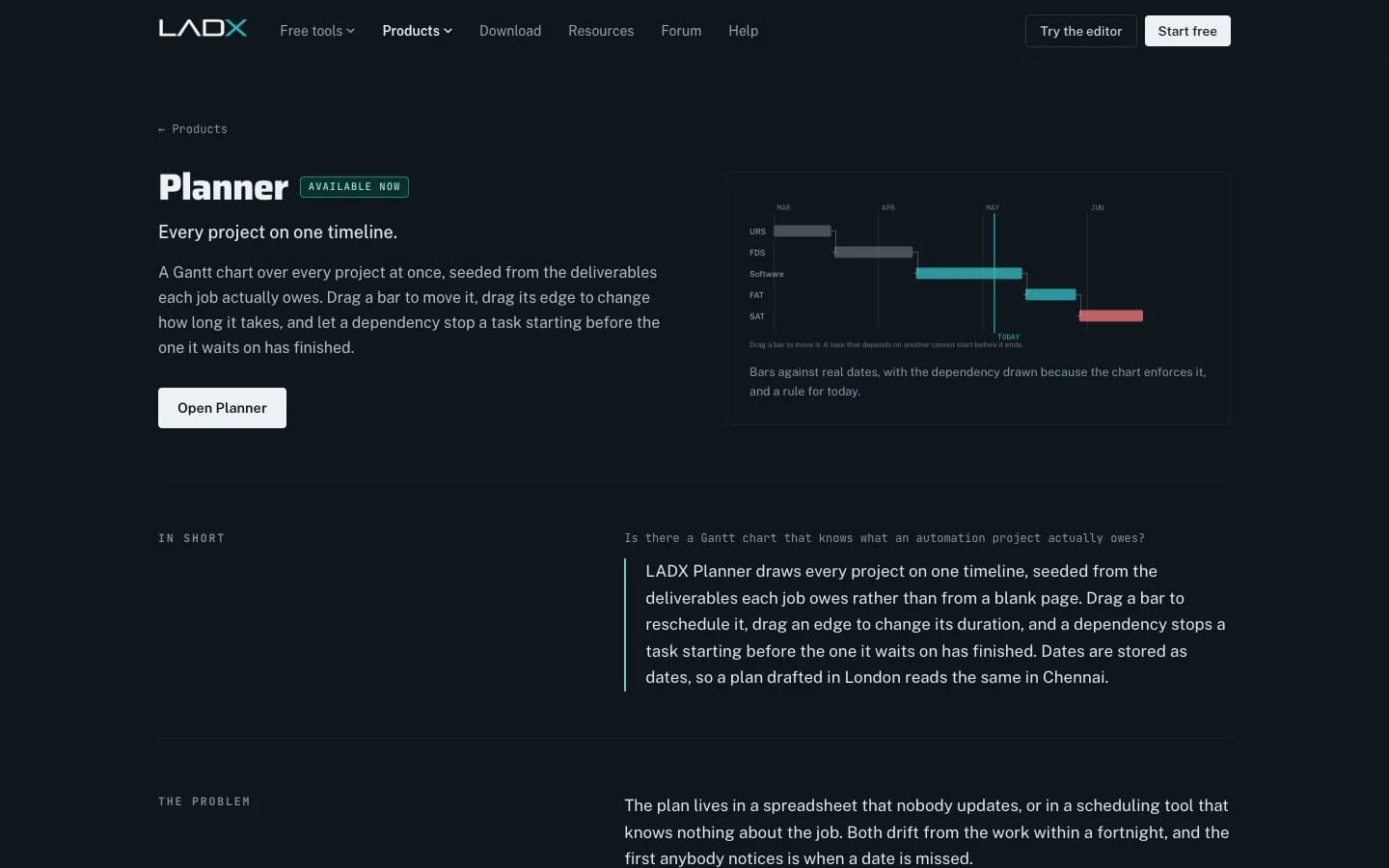
Plans move in and out as CSV, so the spreadsheet your PM already keeps can come in rather than being retyped. Filtering by client answers the question a small integrator actually asks on Monday: what is happening across all our jobs in March?
Know the limits before you rely on it. Planner has no resource leveling and no critical path, so it will not tell you that the same engineer is booked on two FATs in one week. Durations are in working days, Monday to Friday, and public holidays are not modeled, so Thanksgiving week needs a manual nudge.
Step 4: let the documents fill themselves, then review them
LADX Documents holds seventeen working templates across specification, design, registers, safety, testing and handover: URS, FDS, control narrative, software design, I/O list, BOM, cable schedule, cause and effect, alarm and trip schedule, alarm rationalization record, risk assessment, FAT, commissioning, SAT, handover, O&M manual and change control (LADX Documents). The I/O list comes from the program's tags, the narrative from the rungs and their comments, and the letterhead from the project. Output is Word and PDF, laid out for people outside engineering.
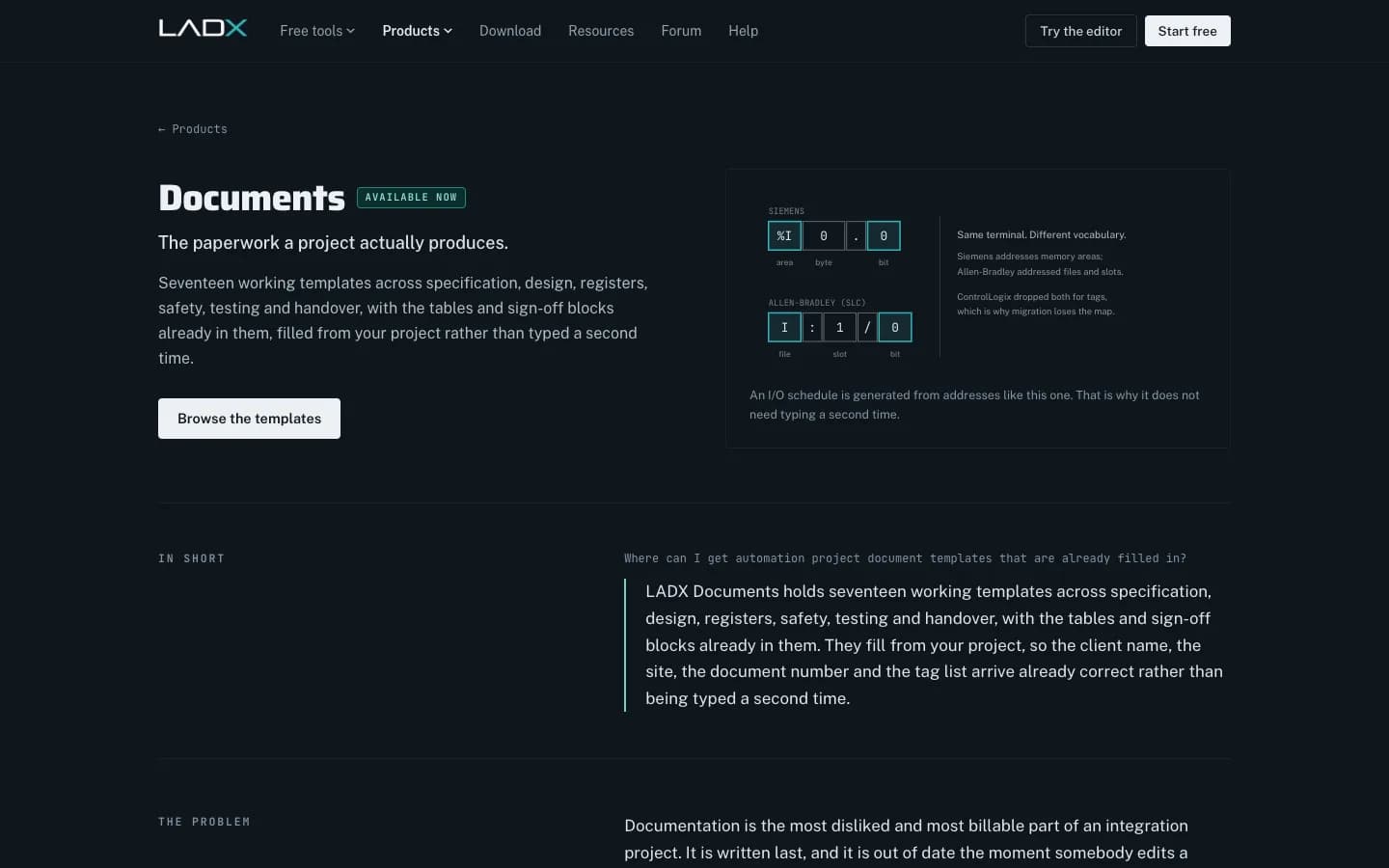
Treat the result as a first draft that is right about the facts. The templates follow common practice, not your client's house standard, so expect to adapt sections. For FAT and SAT content, IEC 62381:2024 provides requirements and checklists that are worth mapping into your templates (IEC 62381:2024).
Process Narratives, FDS Documents & PLC Programming
Liam Bee
This video is hosted on YouTube. Playing it loads content from Google, which may set cookies.
Watch on YouTubeHow it fits a real integration job
Take a ten-person integrator adding a palletizing cell for a food plant in Pennsylvania. The PM creates the project, points the wizard at the customer's scope of work, picks the full lifecycle preset and lays out dates. The controls engineer writes the ladder in the same project, so the I/O list and narrative regenerate as the program changes. Before FAT, the team regenerates the document set, reviews it, and attaches the bench-test runs. The plan, the documents and the code never had to be reconciled by hand.
Next step
You can see the tools at ladx.ai. For help rolling LADX into an integration team, see our industrial AI service. If you need engineering capacity as well as tools, our controls engineering team delivers fixed-scope work packages with these documents included, and our article on validating AI-generated ladder logic covers the test records that belong in the FAT pack. Contact us to talk through a project.